

10 Ways to Use Cowork: Anthropic’s Desktop Agent That Actually Finishes the Work
[av_codeblock wrapper_element=” wrapper_element_attributes=” codeblock_type=” alb_description=” id=” custom_class=” template_class=” av_uid=’av-moeypih0′ sc_version=’1.0′]
10 Ways to Use Cowork: Anthropic’s Desktop Agent That Actually Finishes the Work
Cowork takes Claude out of the chat box and puts it inside your local files, your browser, and your connected apps — completing multi-step tasks while you do something else. Here are ten ways agencies, marketers, and operators are getting hours back every week.
Most AI tools are still built around the prompt. You ask, it answers, you copy, you paste, you ask again. Cowork is built around the outcome. Released by Anthropic in January 2026 and now available across all paid Claude plans, Cowork is a desktop agent that can read your local files, edit them, create new ones, talk to your connected apps, and use your browser — all from a single instruction.
Think of it as Claude Code without the terminal, designed for everyone whose workday includes tasks that are time-consuming but not technically complex: researchers, marketers, ops teams, finance, legal, agency staff. The hard data on AI productivity backs up the hype only when people use the right tool for the right job — and Cowork is the right tool for the long, multi-step, file-heavy chores that chat-based AI never finished cleanly.
The 30-second version
What it is: Cowork is a “Tasks” mode inside the Claude Desktop app. You describe an outcome, point it at a folder or a connector, and walk away. It plans, runs sub-agents, calls tools, and delivers finished work.
Who it’s for: Anyone on a paid Claude plan (Pro, Max, Team, Enterprise) using macOS or Windows desktop.
Why it matters: Federal Reserve research found generative AI users save roughly 2.2 hours per week on average. Goldman Sachs (March 2026) found enterprise AI users save 40–60 minutes per day. Agentic tools like Cowork compound that further by removing the human babysitting between steps.
The proof: why this category is moving fast
Before the use cases, four numbers worth keeping in mind. They explain why agentic tools are the part of the AI stack that’s actually showing up in productivity data this year.
8 hrs
6 hrs
4 hrs
2 hrs
0
2.2
5.0
3.6
3.5
6–8
General
gen-AI user
Enterprise
AI account
Email-only
workflows
Admin/
calendar
Agentic AI
(coordination)
Cowork vs. Chat vs. Claude Code
If you’ve used Claude in chat or watched a developer fly through Claude Code, here’s where Cowork sits relative to both. Same underlying agent architecture, different surface area and audience.
| Capability | Claude Chat | Claude Cowork | Claude Code |
|---|---|---|---|
| Primary user | Anyone | Non-technical knowledge workers | Developers |
| Interface | Web, mobile, desktop chat | Tasks tab in Claude Desktop app | Terminal / IDE |
| Local file access | Upload only | Sandboxed folder, read + write | Full project, read + write |
| Multi-step autonomy | One turn at a time | Plans, sub-agents, parallel work | Plans, sub-agents, parallel work |
| Browser control | No | Yes, via Claude in Chrome | Yes |
| Connectors (Asana, Notion, etc.) | Yes | Yes | Yes (MCP) |
| Scheduled tasks | No | Yes | Via cron / scripting |
| Minimum plan | Free | Pro and up | Pro and up |
10 ways to actually use Cowork
These are the workflows where Cowork removes the most friction today. Each one includes a starter prompt you can adapt — agentic tools reward clarity, not cleverness.
Reorganize a chaotic Downloads or Desktop folder
The canonical Cowork demo, and still one of the highest-leverage. Point Cowork at a single folder and let it sort, rename, and de-duplicate. It can group by topic, by client, by date, or by file type — and it explains every move so you can audit before committing.
Time saved · 1–3 hrs per cleanup
Build expense reports from receipt screenshots
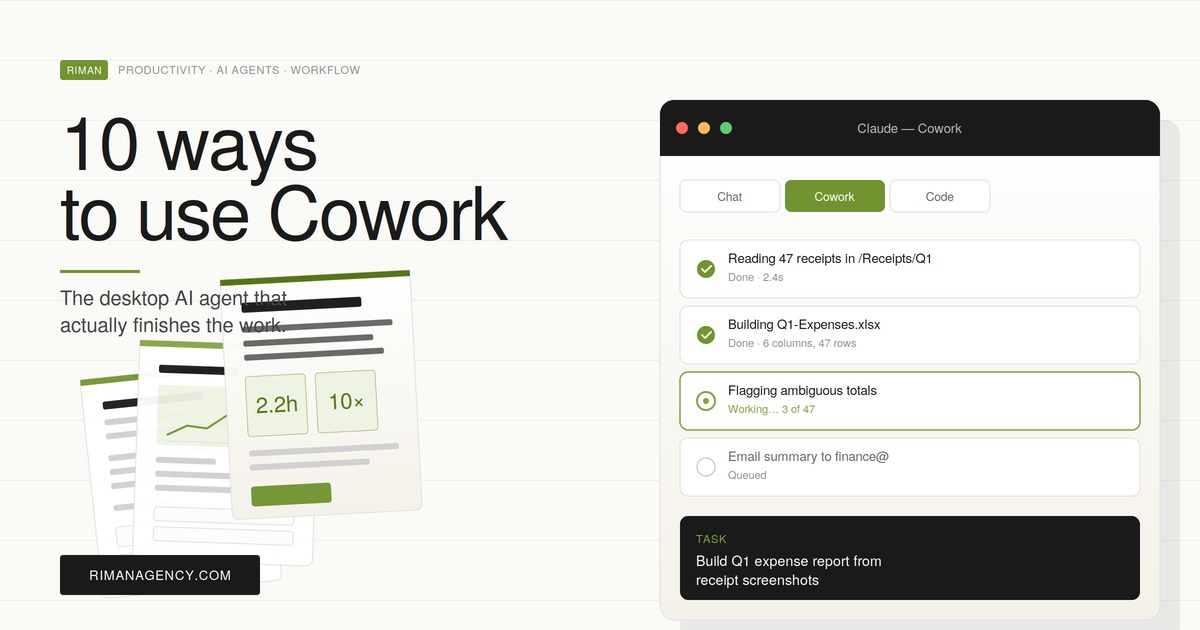
Drop a folder of receipt photos and PDFs in front of Cowork. It will read each one, extract date, vendor, category, currency, and amount, and produce a clean spreadsheet — flagging anything ambiguous instead of guessing. For agencies billing pass-throughs to clients, this kills one of the most reliably annoying month-end tasks.
Time saved · 2–4 hrs per month
Synthesize research across local PDFs, transcripts, and notes
For a market scan, an industry brief, or a competitive teardown, Cowork can read 30–50 source documents at once and produce a structured synthesis with cited claims pointing back to the original files. This is where it pulls clearly ahead of chat: the context is local, the sources stay private, and you don’t burn afternoon hours uploading.
Time saved · 4–8 hrs per brief
Enrich a CSV of leads using Claude in Chrome
Pair Cowork with the Claude in Chrome browser agent and your prospecting list becomes self-enriching. Cowork reads the CSV row by row, sends Chrome out to find each company’s website, latest news, headcount range, and tech stack signals, then writes everything back. Slow, but unattended — leave it running while you sleep.
Time saved · 30 sec → 6 min per lead becomes ~0 active min
Run scheduled weekly competitive intelligence reports
Scheduled Tasks is the feature that turns Cowork from a tool into a teammate. Configure it once, and every Monday morning you find a fresh report on your competitors’ pricing changes, social cadence, ad creatives, or organic ranking shifts. The discipline of weekly competitive review is famously hard to keep — Cowork removes the discipline tax entirely.
Time saved · 90 min → 0 min per week, indefinitely
Repurpose a long-form asset into a multi-format content pack
Drop a 4,000-word whitepaper or webinar transcript into a project folder and ask Cowork to produce the full repurposing kit: blog summary, five LinkedIn posts, three Twitter threads, an email newsletter version, and a one-page sales handout. The reason this works better in Cowork than in chat: it can save each asset as its own file, in your house style guide if you put one in the folder.
Time saved · 4–6 hrs per asset
Compile client onboarding briefs from raw discovery notes
Agency-favourite. After a discovery call, you have a transcript, a Notion page, a brand asset folder, and three emails of context. Cowork can pull all of it together into a structured onboarding brief — positioning, audience, KPIs, brand voice, channel priorities, risks — so the strategist starts from a draft, not a blank page.
Time saved · 3–5 hrs per new client
Automate cross-tool reporting with connectors
Cowork can talk to Asana, Notion, PayPal, and dozens more services through Anthropic’s connector ecosystem. The unlock is combination: pull tasks from Asana, cross-reference with budget data from a local spreadsheet, sanity-check against meeting notes in Notion, and produce a single status report. The connectors aren’t new — but doing all of it in one unattended task is.
Time saved · 60–90 min per status cycle
Run a content or SEO audit across hundreds of local files
Export your blog posts to a folder of .html or .md files, hand the folder to Cowork, and ask for an audit: thin pages, broken internal links, missing meta descriptions, keyword cannibalization candidates, and update priorities. For agencies, this is the audit you’ve been quoting at 8 hours and delivering in 2.
Time saved · 5–10 hrs per audit
Dispatch tasks to your desktop from your phone
Pair the Claude desktop and mobile apps and you can fire off Cowork tasks from your phone — Claude does the work on your desktop and pushes the result back to the same conversation. Useful when you remember at 7pm that you wanted Monday’s report rebuilt before the morning standup, or when a client emails an idea while you’re commuting.
Time saved · ambient — captures the work you’d otherwise lose
0h
2h
4h
6h
8h
Folder reorganization
2h
Expense reports
3h
Research synthesis
6h
Lead enrichment
4h
Scheduled comp. intel
1.5h
Content repurposing
5h
Client onboarding
4h
Cross-tool reporting
1.25h
SEO / content audit
7h
Mobile dispatch (ambient)
1h
Standard saving
High saving
Highest saving
The full matrix at a glance
If you’re picking the first three Cowork workflows for your team, sort by setup difficulty and recurrence. The lowest-friction wins almost always come from recurring weekly reports and folder operations.
| # | Use case | Best for | Recurrence | Setup difficulty |
|---|---|---|---|---|
| 1 | Folder reorganization | Anyone | Ad-hoc | Easy |
| 2 | Expense reports from receipts | Finance, agency PMs | Monthly | Easy |
| 3 | Multi-source research synthesis | Strategy, research | Project | Easy |
| 4 | Lead-list enrichment via Chrome | Sales, BDR | Weekly | Medium |
| 5 | Scheduled competitive intel | Marketing, strategy | Weekly (auto) | Medium |
| 6 | Content repurposing | Content, social | Per asset | Easy |
| 7 | Client onboarding briefs | Agencies, consultants | Per client | Easy |
| 8 | Cross-tool status reports | Ops, project leads | Weekly | Medium |
| 9 | SEO / content audit | SEO, content | Quarterly | Medium |
| 10 | Mobile dispatch | Anyone | Ambient | Easy |
How to get set up in five minutes
The setup is genuinely short. The thinking part — picking the first task — takes longer than the configuration.
| Step | Action | Time |
|---|---|---|
| 1 | Get a paid Claude plan (Pro, Max, Team, or Enterprise) — start here. | 1 min |
| 2 | Download the Claude Desktop app for macOS or Windows. Sign in. | 2 min |
| 3 | Click the Cowork tab in the app’s mode selector to switch into Tasks mode. | 10 sec |
| 4 | Create a project. Point it at the folder Cowork can read and write inside. | 30 sec |
| 5 | (Optional) Connect Asana, Notion, or other apps via Connectors. Install Claude in Chrome if you need browser tasks. | 2 min |
| 6 | Describe your first task in plain language. Approve the plan. Walk away. | 1 min |
⚠ A few honest caveats
Cowork can change real files. Always point it at a sandboxed folder, not your whole home directory. Anthropic itself recommends keeping prompts unambiguous to reduce risk of unintended deletions.
It’s still a research preview. Computer-use features, Google connectors (Gmail, Drive, Calendar), and some integrations are rolling out gradually. Anthropic also explicitly recommends against using Cowork for HIPAA, FedRAMP, or financial-services regulated workloads.
Consumption is higher than chat. Cowork orchestrates sub-agents and tool calls, so it burns through plan limits faster. Track usage early, especially if your team is on Pro.
The bigger picture for marketing teams
The productivity literature has been mixed for two years. The Federal Reserve says workers reclaim about 5.4% of their time. Goldman Sachs’ March 2026 tracker shows enterprise users near a full hour per day. Yet an NBER survey of 6,000 senior executives early this year found 89% of firms reported no productivity impact from AI over three years.
The gap between those numbers is almost entirely about how the tool is used. Chat AI is a force multiplier on the parts of work where you already know what you want. Agentic tools — Cowork being the most accessible example for non-developers — are where the unmonitored, multi-step, file-heavy chores get genuinely automated. That’s the category producing measurable productivity dividends, and it’s the category most marketing and operations teams are still under-using.
If you take one thing away: don’t use Cowork for the parts of your week you enjoy. Use it for the parts you keep procrastinating on. That’s where the hours actually come back.
Try Cowork on a real task this week.
Pick one workflow above, point Cowork at the relevant folder, and let it run while you do something else.
[/av_codeblock]

Founder of Riman Agency, author of eight books on SEO, AEO, analytics, AI marketing and entrepreneurship, and workshop leader in English, French and Arabic. About Tarek
